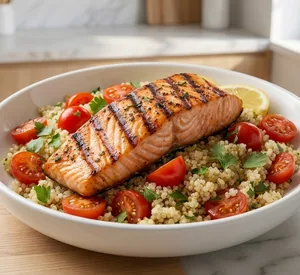
Enter calories and macros, then set diet, allergens, cuisine, prep time, and meals per day. The meal plan generator uses those rules to build a practical week of meals with recipes, a shopping list, and nutrition analysis — across 40+ diet protocols and 18 cuisines.
Generating a plan is the easy part. Here's what keeps dietitians and coaches coming back after the first draft.
Realistic recipes and clear instructions make it easier for clients to follow through between sessions.
Macros and micronutrients are checked against recommended daily targets as you work, so you can see gaps before you sign off on a plan.
Build a full week in about 60 seconds, or start from templates and your own recipes instead of a blank spreadsheet.
Offer meal plans as a paid add-on to your practice — without late nights tweaking recipes and macros.
Tweak any day in the meal plan editor. Calories and macros update as you add foods, so you can see whether you’re meeting the client’s targets. Pull from our recipes database, add your own recipes, or enter custom foods — and compare items side by side as you go.
See macro and micronutrient totals against recommended daily targets as you build the plan, with flags when an intake looks low or high. Pull from USDA, AUSNUT, UK, and your own food databases — and run BMR, BMI, and related calculations in the same workflow.
Export a PDF with your logo, recipes, shopping list, and nutrition breakdown — or post the plan in the client portal so clients can log in, view meals, and complete your questionnaires. No more emailing attachments back and forth.
Whether you’re an RD, nutritionist, health coach, or personal trainer — build the plan, add your branding, and send it as a PDF or through the client portal.
Build plans with DRIs, allergen filters, and branded PDFs you’d be happy to hand a client in clinic or private practice.
Write plans in minutes, add your branding, and let clients pull them up in the portal between sessions.
Add macro-based meal plans to your training packages — with protein targets clients can follow in the gym and in the kitchen.
Share recipes and templates across your practice so every clinician sends consistent, branded meal plans.
Real 5-star reviews from nutrition and fitness professionals using NutriAdmin for meal planning.
“Overall NutriAdmin has helped streamline our clinic and is a great asset to us. It has a great customizable interface, and it is easy to use to keep track of patient files and provide meal plans.”
“This software is fantastic. I’ve tried a few different ones, like Foodzilla, and this is head and shoulders above the rest. … I’m very impressed with how professional the meal plans and reports look for the clients, and how easy it is to individualize them.”
“NutriAdmin is fantastic, the executive is always really fast at replying to any queries I have and really helpful. It’s easy to use, and has lots of useful features such as meal planning, clear reports, admin support and easy payments for clients to make.”
From writing the plan to checking nutrients and sending the finished PDF to your client.
Most tools cover the same basics. What matters day to day is how quickly you can turn macro targets into a plan your client can follow — and whether meal planning is built in or tacked on. See also our Nutrium alternative page.
| What actually matters for meal plans | NutriAdmin | That Clean Life | Nutrium |
|---|---|---|---|
| Automatic meal plan generator | ~60s full week | More manual | More manual |
| Macros in → complete plan out | Yes (kcal + C/P/F) | Partial | Partial |
| Diet, allergy & prep-time filters | 40+ diets built in | Tag-based filters | Fewer filters |
| Food data sources | USDA + AUSNUT + UK | Own database | Regional focus |
| Recipes with photos | RD-vetted + photos | Curated library | Limited photos |
| Meal planning as core focus | Core product | Core product | One of many modules |
| Pricing | From $24.99/mo | From $30/mo | Quote only |
Answers for dietitians, nutritionists, coaches, and personal trainers
Meal planning software helps nutrition professionals build, organize, and share meal plans for clients — instead of doing it by hand in a spreadsheet or document. NutriAdmin combines a macro-based meal plan generator, a day-by-day editor, nutrition analysis, and client-facing delivery (branded PDF or client portal) in one platform, so you can go from nutrition targets to a finished plan in about 60 seconds.
NutriAdmin is rated 4.7/5 on Capterra by 120+ nutrition professionals. It combines a macro-based generator, manual editor, nutrition analysis, branded PDF export, and client portal in one platform built for dietitians and coaches.
Enter calories and your carbohydrate, protein, and fat split — then choose diet, allergies, and cuisine. The macro meal plan generator produces a complete week in about 60 seconds. Edit anything before sharing with clients.
Yes. Personal trainers sell macro-based meal plans alongside their programs — shared as branded PDFs or through the client portal.
Yes. Write plans in minutes, add your logo, and share them in the client portal or as a branded PDF.
NutriAdmin builds a full week from macros in about 60 seconds, with 40+ diet filters and food databases for the US, Australia, and UK. Meal planning is the core product — not a bolt-on module — and pricing is published on our website.
Yes — 14 days with full access to meal planning, the generator, recipes database, and client portal. Cancel anytime during the trial.
Yes. Share plans through the NutriAdmin client portal or export branded PDFs with recipes, macro breakdowns, and shopping lists.
Yes. NutriAdmin includes a meal plan generator for dietitians, nutritionists, and coaches. Set calories, macros, food preferences, and exclusions, then generate a full week that you can edit before sending to the client.
Yes. Nutritionists and registered dietitians use NutriAdmin to write meal plans, check macros and micronutrients, and share plans with clients as branded PDFs or through the client portal.
Yes. If you call it menu planning software, NutriAdmin covers that workflow too: set nutrition targets, generate meals, edit portions and recipes, and send the finished plan to clients.
You can post meal plans in the NutriAdmin client portal or export them as branded PDFs. Clients can open the plan, view recipes and shopping lists, and refer back to it between sessions.
Try NutriAdmin free for 14 days. Cancel anytime during the trial.
Start Free Trial Check PricingGet a sample meal plan by email instead